
September 14, 2026
AI in Home Care: A 7-Step Implementation Framework for Agency Owners
Author
A practical guide to choosing the right AI use case, preparing your operations, and avoiding expensive implementation mistakes.
AI in home care can save time, reduce manual work, and improve decisions. But only when it is applied to the right problem.
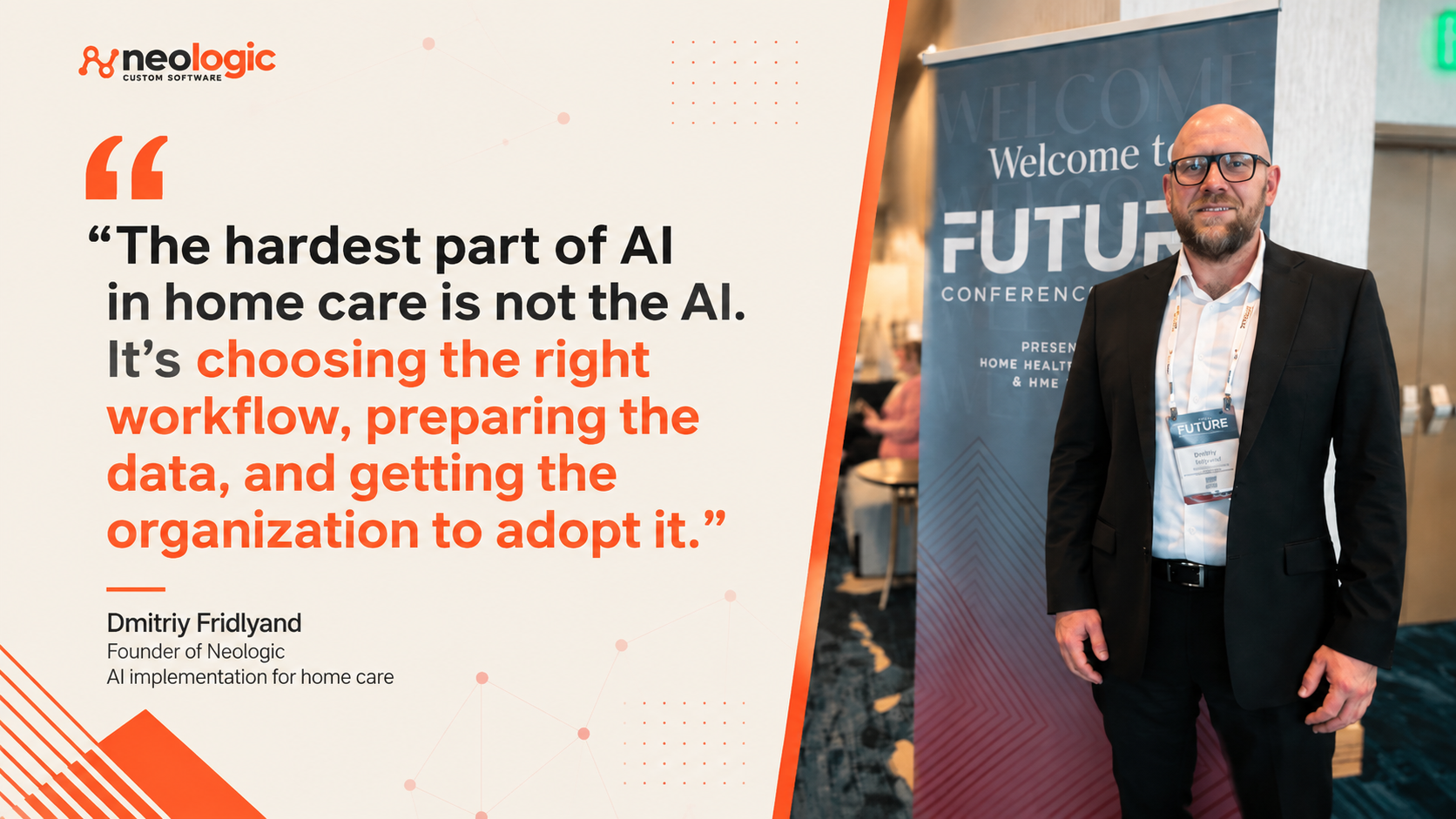
I went to the 2026 FUTURE Conference expecting AI to dominate the conversation.
It did.
What interested me more was what operators kept coming back to: workflow, data, adoption, vendor fit, and proof that the technology actually improved the business.
That matched what I have seen working with Abcor Home Health in Illinois. Over more than 10 years, I have helped design systems around recruiting, training, compliance, scheduling, caregiver matching, field visits, billing, and payroll for an operation managing more than 1,500 caregivers.
case study: Custom Medical Staffing Software for Home Care Agency
Most of that work was not AI.
It was building the operational foundation that AI now depends on.
That is why I would not start with:
Where can we add AI?
I would start with:
What business problem are we trying to solve, and is AI actually the right tool?
The rest of this article explains how I would answer that question before investing in an AI project.
How Is AI Used in Home Care Today?
AI in home care is most useful when it removes repetitive work, helps staff find information faster, or spots patterns that are difficult to see manually.
| AI use case | Opportunity | Main risk |
|---|---|---|
| Scheduling and caregiver matching | Suggest caregivers based on availability, location, skills, preferences, overtime, and client requirements | Bad availability or client data produces bad matches |
| Office administration | Summarize information, draft routine messages, classify requests, and reduce repetitive data entry | Staff may trust incorrect output without checking it |
| Caregiver support | Help caregivers find policies, client instructions, procedures, and answers without calling the office | Outdated information can be repeated at scale |
| Compliance monitoring | Review records, identify missing information, and flag possible exceptions | AI should not make the final compliance determination |
| Client and family communication | Summarize calls, draft follow-ups, answer common questions, and route requests | Automation can miss sensitive situations or sound impersonal |
| Recruiting support | Organize candidate information, summarize applications, and assist with follow-up | Employment decisions still need human review |
| Operational analytics | Find patterns in overtime, cancellations, staffing gaps, demand, and caregiver retention | Historical data may be incomplete or misleading |
| Call and note analysis | Surface recurring service issues, sentiment, and patterns across large volumes of notes or conversations | Context can be misunderstood |
This list will keep growing.
But I would not choose an AI project by picking a row from this table.
A scheduling problem may need AI.
It may also need cleaner availability data, better rules, or a simple integration between two systems.
A compliance problem may benefit from AI reviewing documents.
It may only need conventional automation to track expirations and missing records.
AI is one tool.
Not every problem needs it.
How Should a Home Care Agency Implement AI?
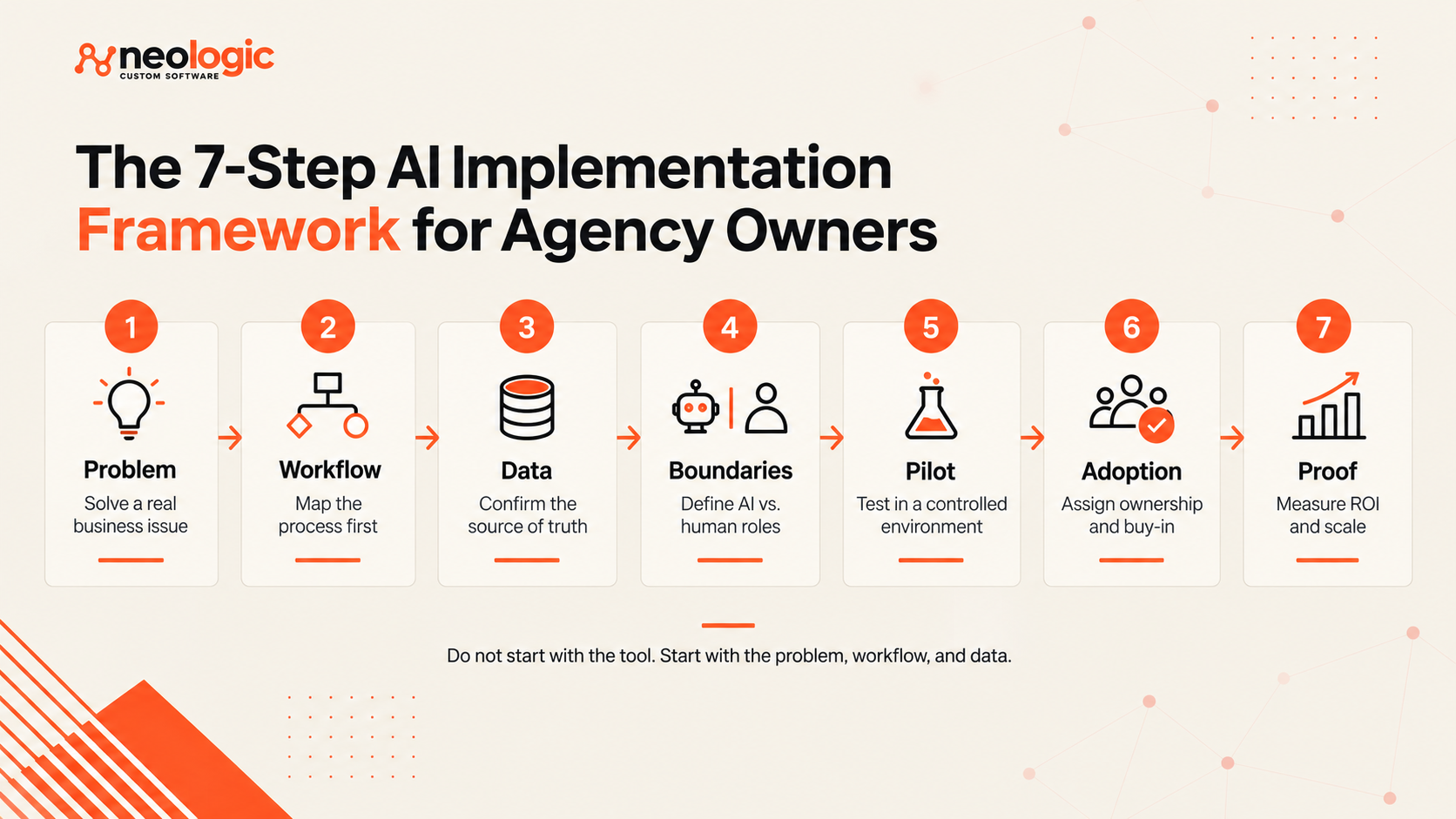
Before you scale AI across the agency, get these seven decisions right.
Step 1: What Problem Is Worth Solving?
A useful AI project starts with a business problem that is expensive, slow, inconsistent, or difficult to scale.
“Use AI for scheduling” is not a business problem.
These are:
- Schedulers spend hours every day filling last-minute shifts.
- Branches handle the same scheduling exception differently.
- Office staff repeatedly answer the same caregiver questions.
- Compliance staff check multiple systems to find missing records.
- Coordinators manually reconcile CRM, EVV, payroll, and HR data.
- Important client or caregiver knowledge exists only with a few senior employees.
- Managers cannot quickly see which exceptions actually need attention.
For each problem, I want three numbers:
- How often does it happen?
- What does it cost today in time, money, errors, or risk?
- What would a meaningful improvement look like?
If you cannot answer those questions, it is too early to choose a tool.
And if the problem is small, I would not spend money putting AI on top of it.
Solve the expensive problems first.
Step 2: How Does the Workflow Really Work?
Before adding AI, map how the work actually happens, including the exceptions, handoffs, and rules that live outside the software.
Compassus treated this as a prerequisite before scaling its intake technology. The team mapped processes across markets because the same workflow often worked differently from one location to another. Missing those differences can lead to choosing technology that fits the process on paper but fails in daily operations.
I have seen the same thing at Abcor.
Scheduling was not simply a matter of finding an available caregiver. A workable system had to connect caregiver availability, location, certifications, current assignments, client requirements, authorizations, compliance status, completed visits, billing, and payroll. We built those relationships into the workflow so staff did not have to reconcile them manually across separate systems.
case study: Custom Home Care Management Software
That matters when you introduce AI.
If you ask AI to recommend a caregiver, it needs access to the rules and information your best scheduler already uses. If an important exception exists only in someone's notebook or memory, the AI will miss it.
Before choosing a tool, map:
- what starts the process
- which people and systems are involved
- what information is required
- which decisions are made
- where manual handoffs happen
- which exceptions occur regularly
- what the final result should be
This exercise often shows that AI is not the first thing you need. Sometimes the problem is two systems that do not communicate. Sometimes different branches follow different rules. Sometimes a simple automation can remove the manual work for less money.
Understand the workflow first.
Then decide where AI belongs.
Step 3: Can You Trust the Data?
AI is only as useful as the information behind the workflow.
A medium or large home care agency usually has data spread across several systems.
A caregiver may have one status in scheduling, another in HR, and a compliance record somewhere else.
Client information may live in the CRM, care notes, email, spreadsheets, and an experienced coordinator's memory.
Before connecting AI to that environment, establish four things:
- Source of truth: Which system is authoritative?
- Accuracy: Is the information current and complete?
- Consistency: Do systems disagree?
- Ownership: Who fixes bad data when it appears?
The standard depends on the use case.
If AI is matching caregivers, it needs reliable availability, location, skills, preferences, and client requirements.
If it is flagging compliance issues, it needs accurate employee records and clear rules for what counts as an exception.
If it is answering caregiver questions, it needs one approved set of policies and procedures.
You do not need perfect data across the entire agency.
You need trustworthy data for the decision AI is supporting.
Otherwise, you get a confident answer built on bad information.
That is a faster mistake.
Step 4: What Should AI Do, and What Should Stay Human?
AI should remove work and improve judgment without quietly taking responsibility for decisions that still need a person.
I usually separate AI into four levels:
| AI role | Home care example | Human role |
|---|---|---|
| Summarize | Summarize caregiver notes or client history | Review when the information matters |
| Flag | Identify missing records or unusual cancellations | Investigate |
| Recommend | Suggest caregiver matches or prioritize follow-ups | Approve, reject, or adjust |
| Act | Send a routine reminder or complete a predefined step | Set the rules and monitor exceptions |
The farther the system moves from summarizing toward acting, the tighter the controls should become.
Some decisions should remain human-led.
That includes:
- sensitive client situations
- caregiver discipline
- compliance determinations
- safety issues
- employment decisions
- anything that can materially affect care
Home care has too many exceptions to assume the software understands the full situation.
A caregiver may look like the best match in the system and still be wrong for that client.
A late clock-in may look like an EVV problem and have a perfectly reasonable explanation.
AI can surface the issue.
A person still owns the decision.
Step 5: Can the Partner Prove It in a Pilot?
Do not buy an AI product because the demo looked good.
I want to know whether the company can work inside the operation that already exists.
Ask:
- Do they understand home care?
- Can they integrate with your existing systems?
- Will they map the workflow before implementation?
- How do they handle exceptions?
- How is your data stored and used?
- Is your agency's data used to train external models?
- What gets logged?
- What happens when the system is wrong?
- Who supports the implementation after launch?
This is why I prefer a technology partner over a software vendor for more complex projects.
A vendor sells the product.
A partner needs to understand why the workflow exists, how people use it, and what should change around the software.
Compassus took that evaluation seriously. For one major technology initiative, it ran a 120-day parallel pilot with two vendors. Both were given clear success criteria. Both knew a final decision would follow the test.
That creates evidence.
Your pilot does not need to last 120 days.
It does need a baseline.
Start with one workflow, branch, or team. Measure how it performs today. Then test the new process against clear criteria.
Do not design the pilot only to prove the tool works.
Find out where it breaks.
That is the useful part.
Step 6: Who Will Own Adoption?
AI implementation fails when the technology changes but the organization does not.
At BAYADA, Joe Zasaworski described a problem he called the silent middle.
The openly resistant employees are easy to see. The harder group is the people who say little and simply do not adopt the new system.
A scheduler who has worked the same way for ten years may rely on personal notes, shortcuts, judgment, and relationships that are invisible to management.
Changing that process means more than adding software.
You are changing how that person works.
Bring frontline staff in early. Ask them:
- Where does the current process break?
- What do they do manually?
- Which exceptions happen most often?
- What would make the new system useful?
- What would make them stop using it?
Then make the boundaries clear.
People should know when to trust the AI, when to check it, when to override it, and where to report a problem.
Training is not enough.
Someone inside the agency needs to own adoption after launch.
No owner means no rollout.
Step 7: What Metric Must Improve?
AI is successful only when the business problem improves.
Do not measure activity alone.
These are activity metrics:
- 5,000 AI summaries created
- 10,000 requests processed
- 80% of staff logged in
They show usage.
They do not prove value.
Measure the problem you started with.
- If AI supports scheduling: Did open shifts get filled faster?
- If it supports office staff: Did administrative time decrease?
- If it reviews compliance records: Did manual checks and missed records decrease?
- If it supports caregiver communication: Did repetitive calls to the office decline?
- If it assists with recruiting: Did response time improve without hurting candidate quality?
Also look for displaced work.
Saving ten hours in scheduling does not help much if payroll spends eight hours fixing the consequences.
I normally look at a combination of:
- time
- errors
- exceptions
- employee adoption
- quality
- operating cost
- client and caregiver impact
- financial impact
Then scale gradually.
Move to another team or branch. Keep measuring. Watch for exceptions that did not appear in the pilot.
If the results stop improving, do not keep expanding because the rollout plan says you should.
Fix the problem first.
How Can You Use This AI Implementation Framework in Your Agency?
The framework is simple:
Problem → Workflow → Data → Boundaries → Pilot → Adoption → Proof.
Use it as a checkpoint before you spend money on AI. Start with a problem worth solving. Understand how the work happens today. Make sure the data can support the solution. Decide what AI should handle and what still needs a person. Test the technology in a controlled environment, give someone responsibility for adoption, and measure the business result. If one of those pieces is weak, fix it before you scale.
If one of those pieces is weak, fix it before you scale.
Considering AI for Your Home Care Agency?
I’m Dmitriy Fridlyand, founder of Neologic. I’ve spent more than a decade designing technology around real home care operations, including recruiting, compliance, scheduling, field work, billing, and payroll.
I help home care agencies evaluate and implement AI, automation, integrations, and workflow improvements.
Sometimes AI is the right answer. Sometimes it is not.

